
Patient Recall Technology: How to Automate Follow-Ups
What if patient recall technology could solve your no-show problem and free up your front office at the same time? Patient recall technology isn’t some futuristic feature—it’s a real, practical solution that many EMRs already offer.
In the simplest terms, recall technology helps you bring patients back when it’s time. Whether it’s for an annual exam, follow-up visit, or routine lab work, having a structured way to reach out means better outcomes for patients and smoother operations for you.
And when that process is built into your everyday tools—like EMR recall tools or integrated appointment reminders—it becomes automatic. That’s the goal: to eliminate the guesswork, reduce no-shows, and make life easier for both your staff and your patients.
🔑 Key Takeaways:
- Patient recall technology automates follow-ups and reduces no-shows.
- It integrates with EMRs and works across text, email, and calls.
- Two-way texting improves patient response rates dramatically.
- Tools like SolutionReach and Klara offer plug-and-play options.
- Campaign messaging boosts preventive care compliance.
- Track metrics like response rates, no-shows, and appointment conversions.
- Blending automation with human follow-up creates the best results.
Table of Contents
How Does Automated Patient Recall Work in a Medical Practice?
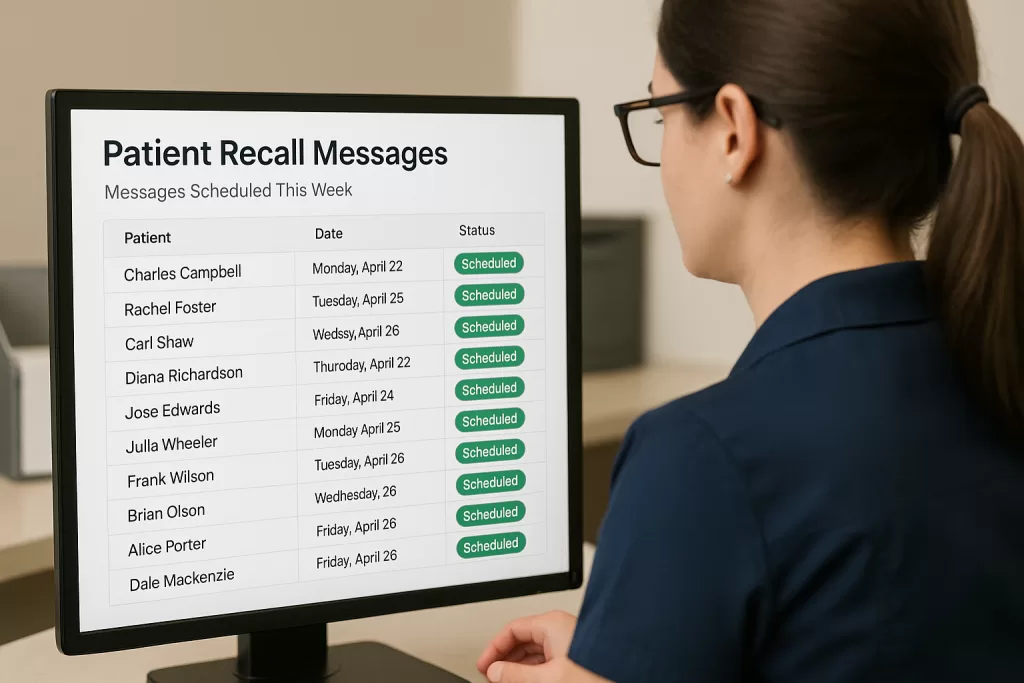
Automated patient recall systems do exactly what they sound like. They take over the task of remembering, tracking, and reaching out to patients—so your team doesn’t have to.
Imagine this: A patient’s annual physical is coming up next month. Instead of relying on sticky notes or a spreadsheet, your system generates an alert based on clinical data. Then it sends out a reminder—via text, email, or even an automated voice call. Some platforms even allow the patient to respond directly and book their next appointment without ever calling your office.
That’s the power of automation.
When automated recall is part of your appointment reminders and used properly, it can cut down your team’s workload. Even better, it helps catch patients who might fall through the cracks—especially in busy clinics or specialties like primary care or endocrinology.
If you’re just getting started, check out our guide on setting up an automated patient recall system to walk through the basics.
What If Your EMR Doesn’t Support Patient Recall Technology?
Yes—and this is where patient communication software becomes your best friend.
Not every practice management tool includes patient recall features—but you still have options. Many third-party solutions work with most EMRs and offer even more flexibility. Platforms like Klara, SolutionReach, and Podium can plug into your existing system and provide everything from two-way texting for patients to detailed reporting dashboards.
You can also search for phrases like “recall system for medical practice” or “patient scheduling technology with automated reminders.” That’ll point you toward the latest tools available—many of which are specifically designed to fit into the workflows of small or mid-sized practices.
And the best part? Many of these platforms offer flexible subscriptions or even trial versions, so you can test them before committing.
How Does Patient Recall Technology Compare to Manual Follow-Up?
| Method | Pros | Cons |
|---|---|---|
| Manual Follow-Up | Personalized, staff-controlled | Time-consuming, inconsistent, error-prone |
| Automated Patient Recall | Fast, scalable, integrated with EMR | Needs setup, some systems may cost extra |
| Patient Communication Software | Multi-channel, data-rich, supports two-way texting | May require training and setup |
What Should You Look for in a Patient Recall Technology Solution?
Before adding anything to your current setup, take a hard look at what you’re already using. Does your EMR support digital front office solutions like email and text notifications? Do you have access to reporting tools that track patient follow-up?
If not, you’ll want to prioritize patient scheduling technology that includes:
- Reliable appointment reminders
- Two-way texting for patients
- Secure patient portal messaging for follow-ups that don’t require a phone call
- Reporting and analytics dashboards
- Integration with your existing EMR
These features help reduce staff workload, increase patient responsiveness, and streamline communication without relying solely on phone calls.
The end goal is clear: Make sure the tool you choose helps streamline outreach and works well with your existing workflows.
Can Mobile Apps Improve Patient Recall and Engagement?
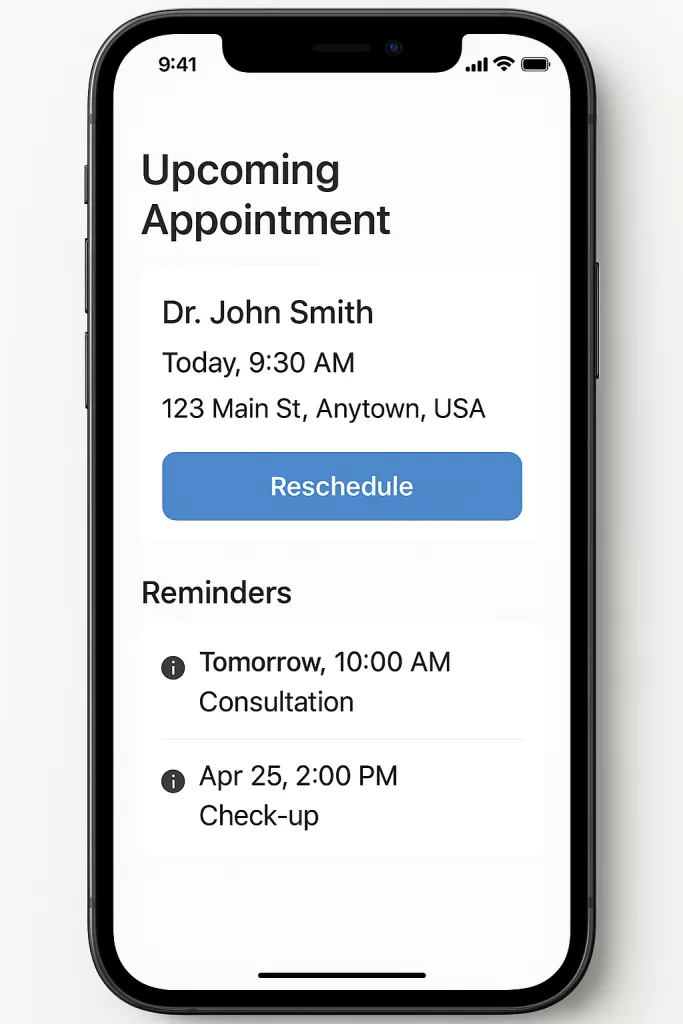
Most people carry a smartphone—and that’s where mobile apps for patient engagement can make a real impact.
Some practice management tools offer branded apps that give patients one place for everything: appointment reminders, visit summaries, and secure messages. These aren’t just nice extras—they’re essential if you want to modernize your recall process and understand how patient portals improve engagement and recall.
Even better? These digital front office solutions send reminders straight to patients, sometimes with the option to confirm or reschedule instantly. If your EMR supports it, great. If not, apps like Luma Health or SolutionReach may offer more flexibility.
Adding patient recall technology to your mobile experience creates a smooth, low-effort way for patients to stay on top of their care—without needing to call your office.
How Does Campaign Messaging Support Automated Patient Recall?
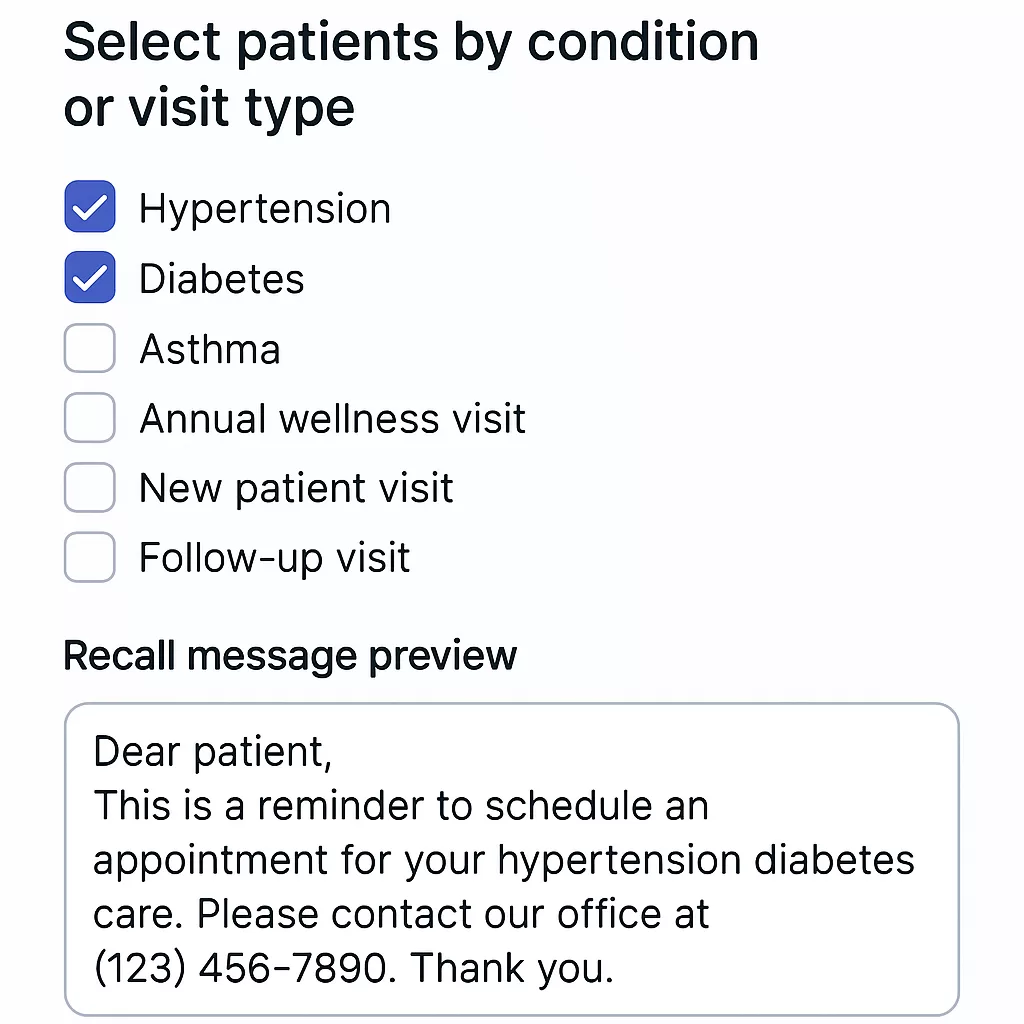
Yes—and if you aren’t already using it, you’re missing out.
Campaign messaging is one of the most underused features in patient communication software. Whether your EMR calls them campaigns, newsletters, or blast messages, the concept is simple: send targeted messages to groups of patients based on their history.
Say your flu vaccines just arrived. You can run a report using your EMR recall tools to find eligible patients. Then send a message letting them know shots are available. Some will call to book. Others will respond through your portal or two-way texting—no staff calls required.
This strategy works just as well for well-child visits, diabetic follow-ups, and routine screenings. With the right filters—like CPT codes or visit dates—you can send reminders that make sense.
Campaigns push automated patient recall even further by using real-time data to guide outreach.
Examples of Campaigns for Patient Recall Messaging
| Campaign Type | Trigger Criteria | Recall Message Example |
|---|---|---|
| Flu Shot Reminder | Patients seen in last 12 months | “Flu vaccines are in—schedule your visit today!” |
| Diabetic Follow-Up | Last A1C test > 6 months ago | “Time to check in on your blood sugar. Let’s schedule.” |
| Annual Physical | No visit in past 365 days | “You’re due for your annual checkup—book now.” |
| Pediatric Wellness Exams | Based on age/milestones | “It’s time for your child’s wellness exam!” |
What Is Two-Way Texting—and Why Does It Matter for Patient Recall?
If your current system only sends one-way texts or emails, it’s time for an upgrade.
Two-way texting for patients makes real conversations possible. They can ask questions, confirm appointments, or request a time slot with a quick reply. It makes scheduling easier for patients—and less work for your staff.
Some patient communication software platforms even use AI to manage replies—so your staff doesn’t have to monitor every message. Tools like Podium, Weave, and Klara offer secure texting and often connect directly to your EMR.
When it comes to patient recall technology, the more interactive your system is, the better your results will be.
How Can You Blend Phone Outreach with Patient Recall Technology?
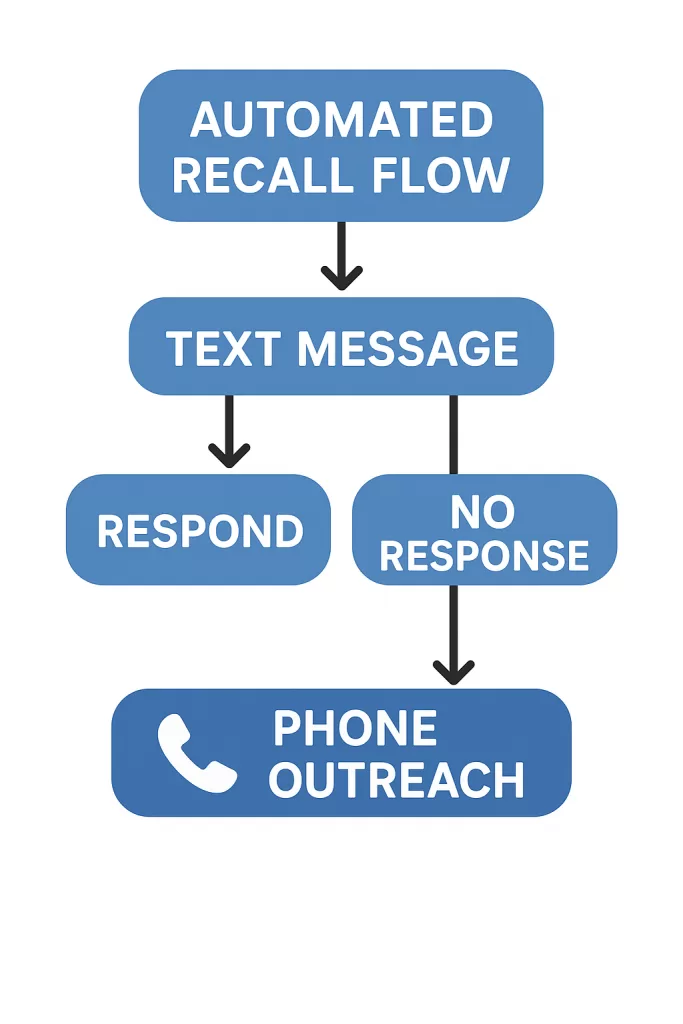
Let’s be honest—not every patient replies to texts or emails.
That’s why many clinics use a mix of tech and manual outreach. This doesn’t mean going back to calling every patient—it means using both tools strategically.
Here’s how it works: You send automated messages through appointment reminders or patient scheduling technology. Then, for patients who don’t respond, your system creates a follow-up list. A staff member or virtual assistant can make a quick call to close the loop.
This hybrid approach keeps the workload light while helping you reach patients who need extra follow-up. It’s a smart balance that makes your patient recall system more reliable—and more human.
How Do You Measure the Success of Patient Recall Technology?
You’ve set up your tools, your team is using them—and now it’s time to track what’s working.
This is where reporting and tracking matter most. Without data, you’re just guessing.
The great thing about modern patient recall technology is that it shows you more than just message delivery. You’ll know who got the reminder, who responded, and who booked. That kind of insight helps improve care and reduce staff frustration.
Most EMR recall tools and patient communication software include dashboards that show how many patients were reached, how many scheduled, and who didn’t respond. With that information, you can adjust your timing, messaging, or delivery method.
Response rates can vary by message type, so reviewing results by channel is key. Maybe older adults still prefer a call. The right data helps you plan smarter and follow up more effectively.
What Patient Recall Metrics Should You Track?

You don’t need to be a data expert to know if your recall system is working—you just need to track the right numbers.
Focus on:
- How many patients you reached
- How they responded (text, email, call)
- How many actually scheduled
- How often recalled patients still no-show
- How much staff time went into follow-up
If you’re using digital front office solutions but your response rate is low, the problem might be your timing or wording. If messages go out but no one schedules, you may need to tweak your call to action.
And this is where two-way texting for patients can help. It makes it easier for them to engage—and easier for you to fill your schedule.
Sample Patient Recall Metrics Dashboard
| Metric | Why It Matters | Ideal Outcome |
|---|---|---|
| Recall Volume | How many patients are being reached | Consistent outreach based on need |
| Response Rate (by channel) | Identifies which communication methods work best | Optimize delivery—text, email, call |
| Scheduling Rate | Measures how many patients actually book | Higher = more effective recall strategy |
| No-Show Rate (recalled pts) | Tracks whether recall leads to actual visits | Should decrease over time |
| Manual Follow-Up Time | Shows impact on staff workload | Should decrease with tech implementation |
How Can You Measure ROI from a Patient Recall System?
Yes—you can and should measure ROI on your recall system.
And it’s not just about money. It’s about saved time, fewer no-shows, and better use of your staff.
Ask yourself:
- Are more patients coming back for follow-ups?
- Is your team spending less time making calls?
- Have your no-show rates gone down?
- Are you retaining more patients over time?
Even if your patient scheduling technology comes with a fee, the value of filled appointments often outweighs the cost—especially in primary care or endocrinology, where missed follow-ups can lead to bigger issues.
Think of these systems as healthcare automation tools that support your team—not replace them. They handle the busy work so your staff can focus on patients.
How Do You Choose the Best Patient Recall Tools for Your Practice?
The best recall system for your practice isn’t the one with the most features—it’s the one your team will actually use.
Before you sign up for a fancy platform or add more bells and whistles to your EMR, ask some key questions. Does your current system already offer basic EMR recall tools? If yes, are you using them to their full potential? If not, what’s missing?
Some patient communication software excels at automation but lacks reporting. Others offer robust two-way texting for patients but require manual setup for each campaign. You’ll want to match the technology to your team’s strengths, patient needs, and clinical workflows.
This isn’t about stuffing your tech stack. It’s about choosing practice management tools that improve your front office, reduce workload, and actually get patients back through your doors.
Which Features Matter Most in Patient Recall Software?
Not all patient recall technology is the same. Some platforms have more features, while others focus on doing one thing really well.
Many tools now integrate with your EMR—even if they’re not built-in—so you can mix and match based on what your team needs.
Here’s how to compare your options:
Key Features in Patient Recall Technology Platforms
| Feature | Why It Matters | Keyword Coverage |
|---|---|---|
| Automated patient recall | Saves time, reduces human error | Automated patient recall |
| Two-way texting | Increases patient engagement and conversion | Two-way texting for patients |
| Reporting and analytics | Tracks recall performance and ROI | Reporting tools, digital front office |
| EMR integration | Syncs patient data, improves accuracy | EMR recall tools, patient scheduling tech |
| Campaign messaging capabilities | Allows targeted outreach for preventive care | Patient communication software |
| Mobile app support | Reaches patients where they already are | Mobile apps for patient engagement |
Case Study: Using Patient Recall Tech for a Flu Shot Campaign
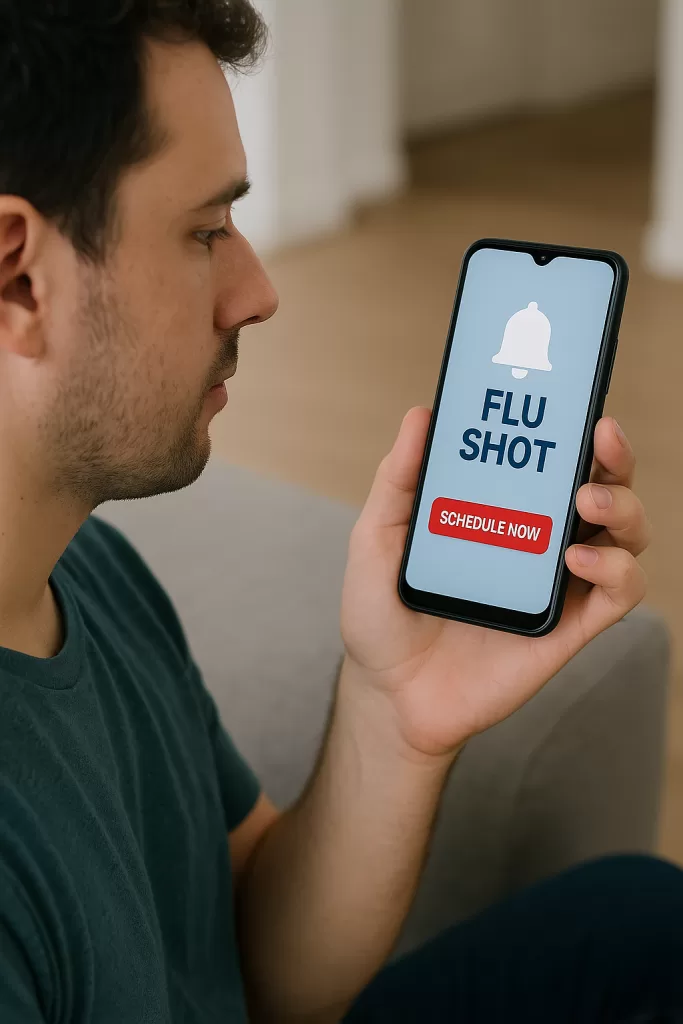
Here’s how it works in real life.
Your clinic gets a new supply of flu vaccines. Instead of waiting for patients to call—or tying up your staff—you use your recall system for medical practice to send a simple reminder.
With a few clicks, you run a report of all patients seen in the past year. Then, through your patient communication software, you message them: flu shots are available—no provider visit needed unless they haven’t been seen in 12 months.
Patients already on the schedule know to ask during their visit. Others can drop in for a nurse-only appointment. Your schedule fills up fast—and your front desk doesn’t get flooded with calls.
That’s patient recall technology at its best: saving time, improving care, and increasing revenue without extra work for your team.
How Do You Integrate Patient Recall into Your Workflow?
Once you choose a recall tool, the next step is to build it into your daily routine—and that’s where many practices stall.
Patient scheduling technology shouldn’t be treated like a side project. It should be part of your team’s regular workflow, supported by your practice management tools, and clearly assigned to someone on staff.
This is where digital front office solutions help. If recall becomes part of your regular reporting and team check-ins, it turns into a habit. You’ll naturally check who hasn’t responded and follow up as needed.
The goal? Get more patients back on the schedule—with less effort and more consistency.
How Should You Train Staff on Patient Recall Technology?

Even the best recall system won’t work if your team doesn’t know how to use it.
Training is key—not just during setup, but as part of ongoing operations. Whether it’s the front desk sending appointment reminders, the clinical staff using EMR recall tools, or an admin pulling reports, everyone needs to know how their role fits into patient outreach.
Start with the basics. Walk through your practice management tools together. Show how to run a recall list, send a message, and track replies. Most patient communication software platforms offer training videos—use them. Don’t leave it up to guesswork.
Assign clear roles:
Who runs the report?
Who follows up with no responses?
Who manages two-way texting for patients?
Everyone should know that patient recall technology is a team effort—and that someone needs to own the process for it to work well.
For a deeper look at how to coach your team and build lasting habits, read our full guide on training front office staff to manage patient communication tools effectively.
What Keeps Patients Engaged with Your Recall Messages?
Want patients to respond to your messages? Make it easy.
If you’re using two-way texting for patients, keep it casual and clear. A message like, “You’re due for a checkup—want to come in next week?” works better than something stiff or robotic.
Your patient scheduling technology should make the next step obvious. Add a scheduling link, a direct phone number, or reply options so patients can act quickly.
Think about your audience, too. Older patients might still prefer a phone call or printed card. Younger ones are more likely to reply to a text or a ping from a mobile app for patient engagement.
No matter how you send reminders, be consistent. The more helpful and reliable your messages feel, the more likely patients are to respond.
How Can You Optimize Patient Recall Over Time?
Getting your system running is just the start. Now it’s time to improve it.
Use your reporting tools to see what’s working. Are certain reminder types getting more replies? Which appointment types have the most no-shows? Does campaign messaging drive better engagement?
Check these insights regularly—monthly is a good rhythm. Even small changes can make a big impact. You might find your digital front office solutions are sending messages at the wrong time. Or that your wording isn’t clear enough to prompt action.
Try A/B testing: send different versions of a message to different groups. See which one gets more responses, and use that data to shape future reminders.
Your recall system for medical practice should keep evolving. As your patients’ behavior shifts, your strategy should, too.
Monthly Dashboard: Track Your Patient Recall Performance
Want a quick way to track your progress? Set up a monthly dashboard to review key recall metrics at a glance. This helps you spot trends, measure ROI, and make smarter decisions about your outreach.
| Metric | This Month | Last Month | Goal |
|---|---|---|---|
| Total patients recalled | 420 | 385 | 400+ |
| Response rate (text) | 54% | 51% | >50% |
| Appointments scheduled | 272 | 248 | 260+ |
| No-show rate for recalls | 8% | 12% | <10% |
| Manual calls needed | 18 | 39 | Reduce by 50% |
FAQs: How to Use Patient Recall Tools Effectively
What is patient recall technology in healthcare?
Patient recall technology automates the process of reminding patients to return for important visits, like annual physicals, lab follow-ups, or screenings. It can use text, email, calls, or mobile apps to reach patients, making it easier for practices to improve care and reduce no-shows.
Can patient recall systems work without an EMR?
Yes, many third-party solutions like Klara or SolutionReach integrate with your workflow even if your EMR lacks recall tools. These systems offer two-way texting, campaign messaging, and reporting without needing full EMR integration, making them ideal for small or older practices.
How does two-way texting improve patient recall?
Two-way texting allows patients to respond in real time—confirming, rescheduling, or asking questions. This creates a conversational experience, increases engagement, and reduces front desk workload. It’s especially useful for quick responses and improves scheduling rates significantly compared to one-way messages.
What metrics should I track to measure recall success?
Track the number of patients reached, response rates by channel, appointments booked, no-show rates for recalled patients, and manual follow-up effort. These data points help you fine-tune your strategy and measure return on investment over time.
How do I train staff to use patient recall technology?
Start with basic training on your recall tools—how to run reports, send messages, and manage replies. Assign roles for each part of the process and use built-in tutorials or videos if your platform provides them. Make recall part of routine check-ins and workflows.
What if patients don’t respond to automated reminders?
Blend automation with manual outreach. For patients who don’t respond, generate a follow-up list and assign staff or virtual assistants to make quick calls. This hybrid approach catches missed opportunities and ensures patients don’t fall through the cracks.
Is patient recall software worth the investment?
Absolutely. While there may be a subscription cost, the ROI comes from reduced no-shows, increased preventive visits, and better patient retention. Practices often save time, reduce manual calls, and see fuller schedules—all of which boost revenue and patient satisfaction.
Final Thoughts: Using Patient Recall Technology to Work Smarter
Patient recall technology isn’t just about filling your schedule. It’s about making your practice run better—smarter, smoother, and with less stress on your team.
When you pair the right tools with simple workflows, you’ll see fewer no-shows, more preventive visits, and a happier front office. Whether you’re using built-in EMR tools or adding patient communication software, the goal is the same: get patients back when they need care—without wasting your staff’s time.
Keep checking your results. Keep adjusting your approach. And remember: great tech doesn’t replace people—it helps them do their best work.