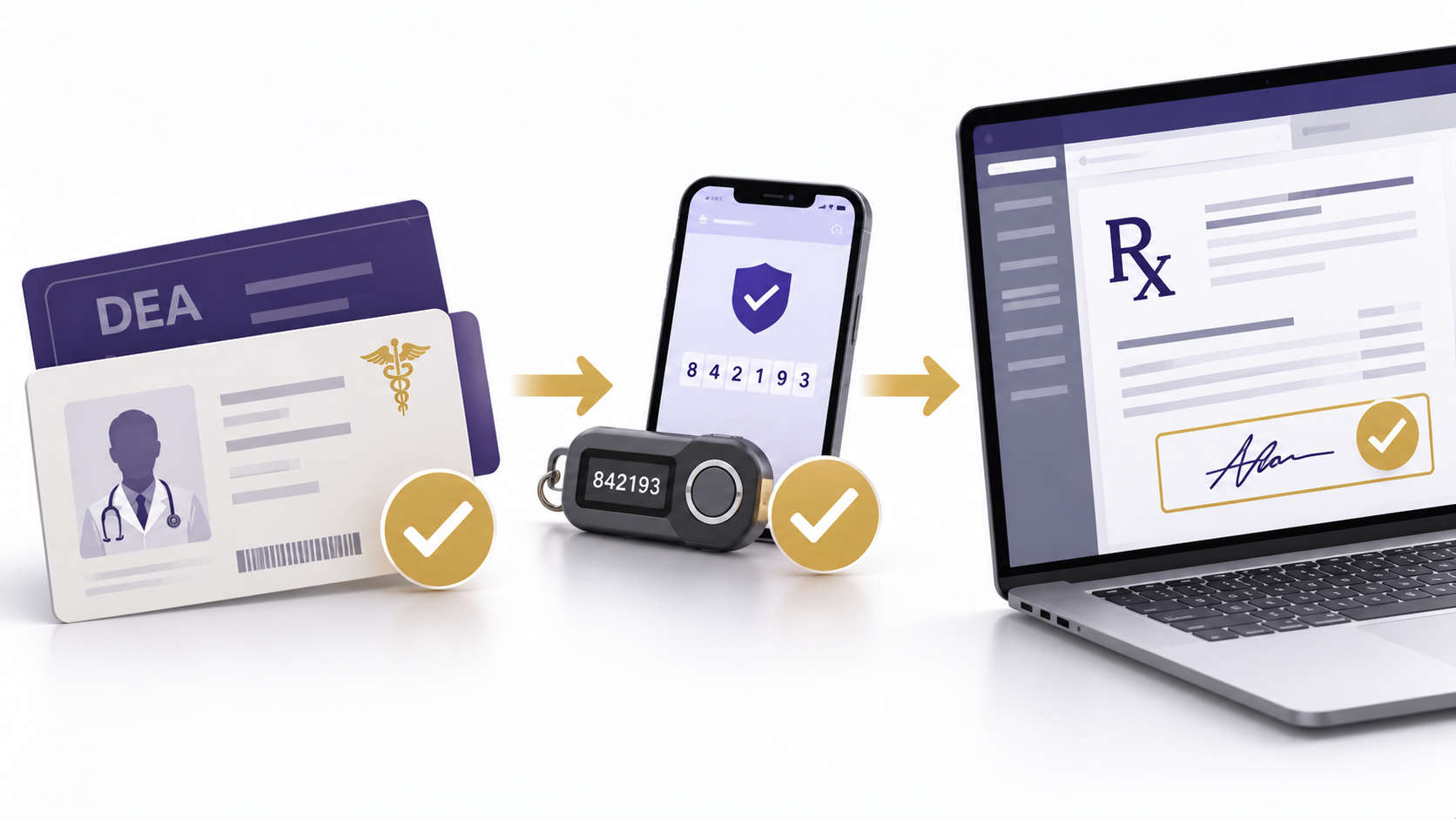
Before Your Providers Prescribe: Getting EPCS Setup Right
Electronic prescribing of controlled substances (EPCS) requires more than turning on an electronic health record (EHR) feature. Before a practitioner can sign controlled-substance prescriptions electronically, the medical practice must confirm the prescribing application’s compliance, verify the practitioner’s authority, and complete identity-proofing, authentication, and access-control requirements.
These steps involve different people and systems. A practitioner may have a valid DEA registration but still lack EPCS signing access. Another may have completed identity proofing but be waiting for the required access approval. When practices treat these situations as ordinary software problems, activation can stall without anyone knowing who must act next.
For independent practices, the goal is to create a repeatable process. Each provider should move through the required steps before routine prescribing begins. Staff also need clear instructions for transmission problems, provider departures, and security concerns after activation.
Key Takeaways
- EPCS readiness depends on application compliance, practitioner authority, identity proofing, authentication, and approved signing access.
- Completing identity proofing does not automatically authorize a practitioner to sign controlled-substance prescriptions.
- Administrators can coordinate activation, but required access-control approvals and personal electronic signatures cannot be bypassed.
- A provider-specific checklist helps practices identify incomplete steps before prescribing is needed.
- Staff may prepare prescription information at the practitioner’s direction, but the practitioner must personally complete the electronic signature.
- Ongoing EPCS management includes access changes, credential security, audit responsibilities, and incident escalation.
Table of Contents
Confirm System and Provider Readiness for EPCS Setup
Start by confirming that the practice’s electronic prescribing application supports EPCS and meets the applicable Drug Enforcement Administration (DEA) requirements. An EHR may handle ordinary electronic prescriptions without meeting the additional controls required for controlled substances.
DEA regulations address application security, practitioner authentication, access controls, electronic signing, audit functions, and recordkeeping. EPCS applications must undergo the required third-party audit or certification process. The practice should obtain compliance information from its vendor before relying on the application for controlled-substance prescribing.
Ask whether the documentation covers the application and version currently in use. This matters when a vendor offers several products or uses a separate prescribing service within the EHR. The practice should understand which application actually performs the EPCS functions.
Also confirm whether EPCS requires a separate subscription, integration, configuration change, or activation request. These arrangements vary by vendor. Although they are not substitutes for regulatory compliance, they can affect the time needed to activate each provider.
Technical Deep Dive
EPCS readiness involves three separate decisions. First, the application must meet applicable technical requirements. Second, the practitioner must have legal authority to prescribe the controlled substances involved. Third, the practitioner must receive properly approved signing access within that application. None of these conditions establishes the others. When activation fails, identifying the incomplete condition helps the practice direct the problem to the correct person instead of repeating completed steps.
Verify Each Practitioner’s Prescribing Authority
Before activating EPCS access, the practice must confirm that the provider has the required DEA registration and prescribing authority for the controlled substances involved.
Review the practitioner’s DEA registration, applicable professional license, and state controlled-substance authority where required. Prescribing privileges may also depend on professional scope of practice, registration restrictions, or other conditions.
Practices operating across state lines need particular care. A provider’s authority and electronic prescribing obligations may differ by jurisdiction. State laws can also establish electronic prescribing mandates or exceptions that operate alongside federal EPCS requirements.
Do not assume that a provider’s employment status or EHR account proves prescribing authority. Those records may support onboarding, but they do not replace the required licensing and registration checks.
Identify the Vendor and Practice Responsibilities
Before scheduling activation, ask the vendor to explain the full sequence. Find out who initiates identity proofing, which authentication methods the application supports, how access approval occurs, and how completion is confirmed.
The practice should also know whether a designated administrator can view activation status. If the vendor provides only individual provider notifications, the practice may need a separate way to track completion without collecting private credentials.
Assign one person to coordinate the process and maintain the activation record. That person can track outstanding tasks and contact the appropriate parties. However, coordination does not grant authority to perform restricted approval or signing functions.
For a group onboarding several providers, a shared status record can prevent confusion. Record which step is incomplete, who owns the next action, and when follow-up is expected. This gives the practice a more useful picture than simply marking each provider as “EPCS pending.”
Complete Identity Proofing and Authentication Setup
Identity proofing confirms that the person requesting EPCS credentials is the practitioner they claim to be. It is not the same as issuing an EHR username, checking an employee badge, or confirming that someone works for the practice.
For individual-practitioner applications, the process involves an eligible credential service provider or certification authority. DEA regulations also establish different provisions for qualifying institutional practitioners. Practices should confirm which framework applies to their prescribing application.
An administrator may help a practitioner schedule identity proofing, locate instructions, or resolve an incomplete request. However, the administrator cannot replace the required identity-proofing process with an informal office verification.
Track the result rather than the practitioner’s sensitive personal information. A practice generally needs to know whether the required step is complete, not retain copies of every document used during verification.
Understand Two-Factor Authentication
After identity proofing, the practitioner must obtain or activate an acceptable two-factor authentication credential. This credential is used during the electronic signing process for controlled-substance prescriptions.
Two-factor authentication uses two factors from different categories: something the practitioner knows, something the practitioner has, or something the practitioner is. Depending on the compliant application, these may include a password, an approved authentication device, or a biometric factor.
Not every familiar login method qualifies for EPCS. The vendor should identify which methods its application supports and explain how the practitioner activates and uses them.
Authentication credentials belong to the individual practitioner. Staff should not store a provider’s password, borrow an authentication device, or complete the signing process for the provider. These shortcuts undermine the controls that connect the electronic signature to the authorized prescriber.
Prepare for Credential Problems
Credential problems can interrupt prescribing even when the provider’s access was correctly established. A device may be lost, damaged, or unavailable. A biometric reader may fail, or the practitioner may need to replace an authentication factor.
Ask the vendor how these problems are handled before they occur. The practice should know who initiates credential replacement, whether signing access must be disabled, and what must happen before the practitioner can resume EPCS use.
Staff should have an escalation contact and a clear way to communicate with the practitioner. They should not attempt to resolve an authentication failure by using another provider’s credentials.
The DEA’s EPCS requirements for prescribing practitioners provide additional information about identity proofing, authentication, and access authorization.
Once identity proofing and credential activation are complete, the practice must still verify the separate access-control approval. Completing security enrollment is not the same as receiving permission to sign controlled-substance prescriptions.
Assign and Verify EPCS Prescribing Access
EPCS access controls determine which practitioners may electronically sign controlled-substance prescriptions. These permissions must be established through the applicable DEA process, not simply assigned like ordinary EHR menu access.
For individual-practitioner applications, two individuals participate in access authorization. One verifies the practitioner’s authority and establishes the relevant permissions. A DEA registrant then approves the access-control list using the required two-factor authentication credential.
Institutional-practitioner applications have separate provisions. The practice should confirm the correct process with its vendor and avoid assuming that every organization follows the same approval steps.
This distinction matters for staffing. A practice manager may coordinate the entire onboarding process without being one of the individuals authorized to complete a particular EPCS approval. The practice must identify those roles before activation reaches the approval stage.
Operational Snapshot
A new provider finishes identity proofing and activates an authentication device before the first scheduled clinic day. The office assumes EPCS is ready. During a visit, the provider discovers that signing access is unavailable because the required approval was never completed. The practice now has a prescribing interruption rather than a routine onboarding task. A provider-specific activation checklist should require confirmation of final access approval before the provider begins routine EPCS use.
Define Responsibility Without Confusing Roles
The practice should document who handles each part of activation. This helps administrators coordinate the work while protecting the separation of duties required for access authorization.
| Role | Primary Responsibility | Important Boundary |
|---|---|---|
| Prescribing practitioner | Maintain prescribing authority, complete required identity proofing, control authentication credentials, and personally sign prescriptions. | Staff cannot take over the practitioner’s signing responsibilities. |
| Practice administrator | Coordinate activation, track incomplete steps, contact the vendor, and verify administrative follow-up. | Coordination does not automatically grant access-approval authority. |
| Designated access-control individuals | Verify practitioner authorization and establish or approve EPCS signing privileges. | Must follow the applicable regulatory approval and separation-of-duties process. |
| EHR or prescribing application vendor | Provide technical instructions, application compliance information, and configuration support. | Vendor support does not replace the practitioner’s or institution’s legal responsibilities. |
A small practice may have one employee coordinating several administrative steps. That can be practical, but it does not eliminate the need for the distinct individuals and approvals required by the applicable EPCS rules.
Verify Provider Activation Before Routine Use
Use a checklist for each practitioner rather than relying on a general office implementation record. A provider’s activation should not be marked complete merely because a vendor ticket was closed or an authentication device arrived.
- Confirm the EPCS application meets applicable requirements.
- Verify current DEA registration and relevant state prescribing authority.
- Confirm the required identity-proofing process is complete.
- Verify activation of an acceptable two-factor authentication credential.
- Complete the required access-control authorization and approval.
- Confirm that the practitioner’s signing privileges are active and correct.
- Review the prescribing and transmission workflow with the practitioner.
- Document completion, unresolved problems, and responsibility for follow-up.
The record should distinguish a submitted request from a verified result. For example, “access approval requested” is not equivalent to “signing access authorized.” This small distinction helps prevent last-minute prescribing problems.
Any final system verification should follow the vendor’s approved process. The practice should not create an unnecessary controlled-substance prescription merely to test whether signing works.
Prepare Staff and Prescribing Workflows
Successful activation does not mean the practice is ready to use EPCS consistently. Providers and staff must understand how prescription information moves through the EHR, which tasks can be delegated, and how transmission problems are handled.
EPCS activation should be coordinated with the practice’s broader EHR implementation and testing process, including user permissions, workflow testing, and staff preparation.
Begin with the actual prescribing process used during a patient visit. Identify who enters medication information, when the practitioner reviews it, and how the office confirms that the prescription reached the intended pharmacy.
Separate Prescription Preparation From Signing
Authorized office staff may enter prescription information at the practitioner’s direction. This may include preparing medication details, entering directions, or selecting the intended pharmacy.
The practitioner must review the prescription and personally complete the required electronic signature. Staff cannot sign using the practitioner’s credentials, even if the practitioner has verbally approved the medication.
Consider a medical assistant who prepares a prescription during rooming. The assistant may enter information under the approved workflow, but the practitioner must confirm the prescription details before signing. The electronic signature remains the practitioner’s responsibility.
Staff training should make this boundary clear. It should also address what happens when information needs correction after the practitioner begins reviewing the prescription.
Verify Pharmacy Transmission and Follow-Up
A completed electronic signature does not always mean the pharmacy successfully received the prescription. Transmission failures, rejections, and incorrect pharmacy selections can interrupt the process.
The practice should know where transmission status appears in the EHR and who monitors unsuccessful submissions. Staff also need instructions for contacting the vendor or pharmacy when the status is unclear.
Before another prescription is sent, determine what happened to the original transmission. Repeatedly submitting a prescription without checking its status can create duplicate work and possible prescribing concerns.
Assign responsibility for communicating the outcome to the patient when appropriate. A patient should not have to discover an unresolved transmission problem only after arriving at the pharmacy.
Prepare for Outages and Authentication Failures
The practice should establish what staff do when the EHR is unavailable, an authentication factor fails, or the selected pharmacy cannot receive an electronic prescription.
These situations require different responses. A failed authentication device may require credential recovery. An application outage may require vendor support. A pharmacy transmission issue may require investigation before the practitioner chooses an appropriate next step.
Any alternative prescribing method must comply with applicable federal and state rules. An outage does not authorize credential sharing or bypassing the required signing controls.
Use short training scenarios to test whether staff understand the escalation process. Ask what happens when a prescription is rejected, a device is lost, or a provider cannot complete authentication during a visit.
Additional federal prescribing requirements are discussed in DEA’s Practitioner’s Manual.
Maintain EPCS Compliance After Implementation
EPCS management continues after a practitioner sends the first controlled-substance prescription. Providers leave, registrations change, authentication devices fail, and security concerns may arise. The practice needs a process for recognizing these changes and responding appropriately.
Maintain written policies and procedures that explain who coordinates access requests, verifies completion, and handles provider departures.
These procedures should identify who receives reports of lost credentials, suspected unauthorized access, and unusual prescribing activity. Staff should not need to decide during an incident which person is responsible for escalating it.
Include EPCS in Provider Offboarding
When a practitioner is no longer authorized to use an EPCS application, the required signing access must be terminated. This should be part of provider offboarding rather than an unrelated technical task handled later.
Disabling a general EHR account may be necessary, but the practice should verify that the required EPCS access-control action has occurred. Record who completed the change and how completion was confirmed.
Planned departures allow the practice to coordinate access changes in advance. Unexpected departures or changes in prescribing authority may require a faster response.
The same principle applies when a practitioner’s DEA registration, state authority, or prescribing privileges change. The practice should evaluate the effect on EPCS access when it becomes aware of the change, not wait for an unrelated annual account review.
Distinguish Access Changes From Security Incidents
A routine departure, a lost authentication device, and suspicious prescribing activity do not require identical responses. All may involve access controls, but the investigation and reporting obligations depend on the circumstances.
| Situation | Required Operational Focus | Follow-Up |
|---|---|---|
| Provider leaves the practice | Terminate EPCS signing access when the practitioner is no longer authorized. | Verify and document the access change. |
| Authentication factor is lost or compromised | Follow applicable procedures to protect or terminate affected access. | Coordinate replacement, reauthorization, and any needed security review. |
| Possible unauthorized prescribing activity | Escalate promptly and preserve relevant information. | Investigate and determine whether regulatory reporting is required. |
The practice should document the actions taken without treating every incident as a routine password reset. If there is evidence of misuse, the response may need to involve the application provider, responsible security personnel, and appropriate regulatory contacts.
Compliance Alert
EPCS signing access must be terminated when required by DEA regulations, including when a practitioner is no longer authorized to use the application. Lost, stolen, or compromised authentication factors also require prompt action under the applicable rules. Access revocation and security-incident reporting are separate obligations. Certain qualifying security incidents require reporting to DEA within one business day of discovery. A routine provider departure does not automatically create the same reporting obligation.
Understand Audit Responsibilities
EPCS applications must support required security and audit functions. These controls help identify events that may indicate unauthorized access or other problems requiring review.
Ask the vendor how required audit reports are generated, who receives them, and what action is expected when an event requires investigation. Clarify which responsibilities the vendor performs and which remain with the practitioner or institution.
A practice should not assume that automated monitoring resolves every compliance obligation. Someone must understand how concerns are identified, reviewed, and escalated.
These procedures should remain usable when staff members change. Assign a backup contact where appropriate, and ensure that important access or security concerns do not depend on one employee being available.
Review Common EPCS Setup Problems
When EPCS does not work as expected, begin by identifying the failed step. A general request to “fix EPCS” may send the issue to the wrong person and delay resolution.
The following problems illustrate how practices can narrow the cause before contacting the appropriate person.
| Problem | What to Check First | Likely Next Contact |
|---|---|---|
| Identity proofing is complete, but signing is unavailable. | Authentication activation and access-control approval status. | Designated access-control individuals or application vendor. |
| Provider can use the EHR but cannot sign controlled-substance prescriptions. | EPCS-specific permissions and prescribing authority. | Practice access coordinator and vendor. |
| Authentication device does not work. | Device status, activation, and approved recovery process. | Credential provider or application support. |
| Signed prescription did not reach the pharmacy. | Transmission status, rejection information, and selected pharmacy. | Application support or pharmacy, with practitioner involvement. |
| Departed provider still appears to have access. | Whether the required EPCS access-control change was completed. | Authorized access-control personnel. |
Keep a record of recurring failures. If several providers experience the same problem, the practice may have a process gap rather than a series of unrelated individual errors.
For example, repeated delays after identity proofing may indicate that the access-approval step has no clear owner. Frequent pharmacy transmission problems may show that staff do not know where to review rejection notices.
Use these patterns to improve onboarding and training. A well-designed EPCS process should make it easier to identify the next action, not simply create a longer checklist.
Practices should also review how unresolved problems are handed off between shifts or staff members. If an issue remains open, the record should identify the responsible person, the current status, and the next follow-up action.
The most useful measure of readiness is not whether the practice has purchased an EPCS-capable system. It is whether authorized practitioners can use the system correctly and whether the practice can manage changes without bypassing required controls.
Frequently Asked Questions
Can a provider prescribe controlled substances electronically as soon as identity proofing is complete?
No. Identity proofing is only one requirement. The practitioner must also have appropriate prescribing authority, an acceptable authentication credential, and properly authorized EPCS signing access within a compliant application. The practice should verify completion of all required steps before the provider begins routine electronic controlled-substance prescribing.
Can office staff prepare electronic controlled-substance prescriptions?
Yes. Authorized staff may enter prescription information at the practitioner’s direction. However, the practitioner must review the prescription and personally complete the required electronic signature using their own authentication credentials. Staff cannot sign controlled-substance prescriptions for the practitioner, even when the medication information has already been prepared.
Does every provider need a separate EPCS authentication credential?
Each practitioner must use an individually assigned authentication credential and must not share it. A practitioner with multiple DEA registrations may be able to use one credential, depending on the applicable requirements. Separate prescribing applications may have different credential arrangements, so the practice should confirm the process with each application provider.
What happens when a provider leaves the practice?
The practice must terminate EPCS signing access when the practitioner is no longer authorized to use the application. Provider offboarding should include confirmation that the required access change occurred. The practice should separately evaluate any security concerns, including compromised credentials or evidence of unauthorized prescribing activity.
Is an EPCS-enabled EHR enough to meet every prescribing requirement?
No. A compliant application is only part of EPCS readiness. The practitioner must also have appropriate prescribing authority, required authentication credentials, and authorized signing permissions. State prescribing laws and other controlled-substance requirements may impose additional obligations. Practices should verify these requirements rather than assuming the software handles every compliance responsibility.
Electronic prescribing of controlled substances works best when medical practices manage it as an ongoing operational responsibility. The application, practitioner, and access-control process must all be ready before prescribing begins.
Clear assignments, verified activation steps, staff training, and documented procedures help practices reduce avoidable delays. They also make it easier to respond when a provider’s authority changes, a credential fails, or a security concern requires attention.
About the Author
Jennifer Blevens-Smith is the founder and principal consultant of Integral Clinic Solutions. With more than two decades of experience supporting independent medical practices, she helps physicians, practice administrators, and healthcare leaders strengthen credentialing, payer contracting, revenue cycle operations, compliance workflows, and practice management. Her work focuses on translating complex healthcare requirements into practical operational processes. These processes improve consistency, reduce administrative burden, and support long-term practice success.
Need Help Strengthening Your Medical Practice Operations?
Integral Clinic Solutions provides practical support for medical practices navigating credentialing, contracting, revenue cycle operations, compliance workflows, front-office systems, and practice management challenges.
Explore more operational guidance, compliance insights, and healthcare business resources on the Integral Clinic Solutions blog. New articles and updates are added regularly for practice owners, administrators, and healthcare teams.
Disclaimer: This content is for informational and educational purposes only and does not constitute legal, coding, billing, compliance, financial, or medical advice. Healthcare practices must verify all operational requirements with applicable payers, regulators, and qualified professionals. Read our full Legal & Compliance Disclaimer.