Choosing an HR Management System for Medical Practices That Fits Your Operations
Human resources administration becomes complicated surprisingly quickly in a medical practice.
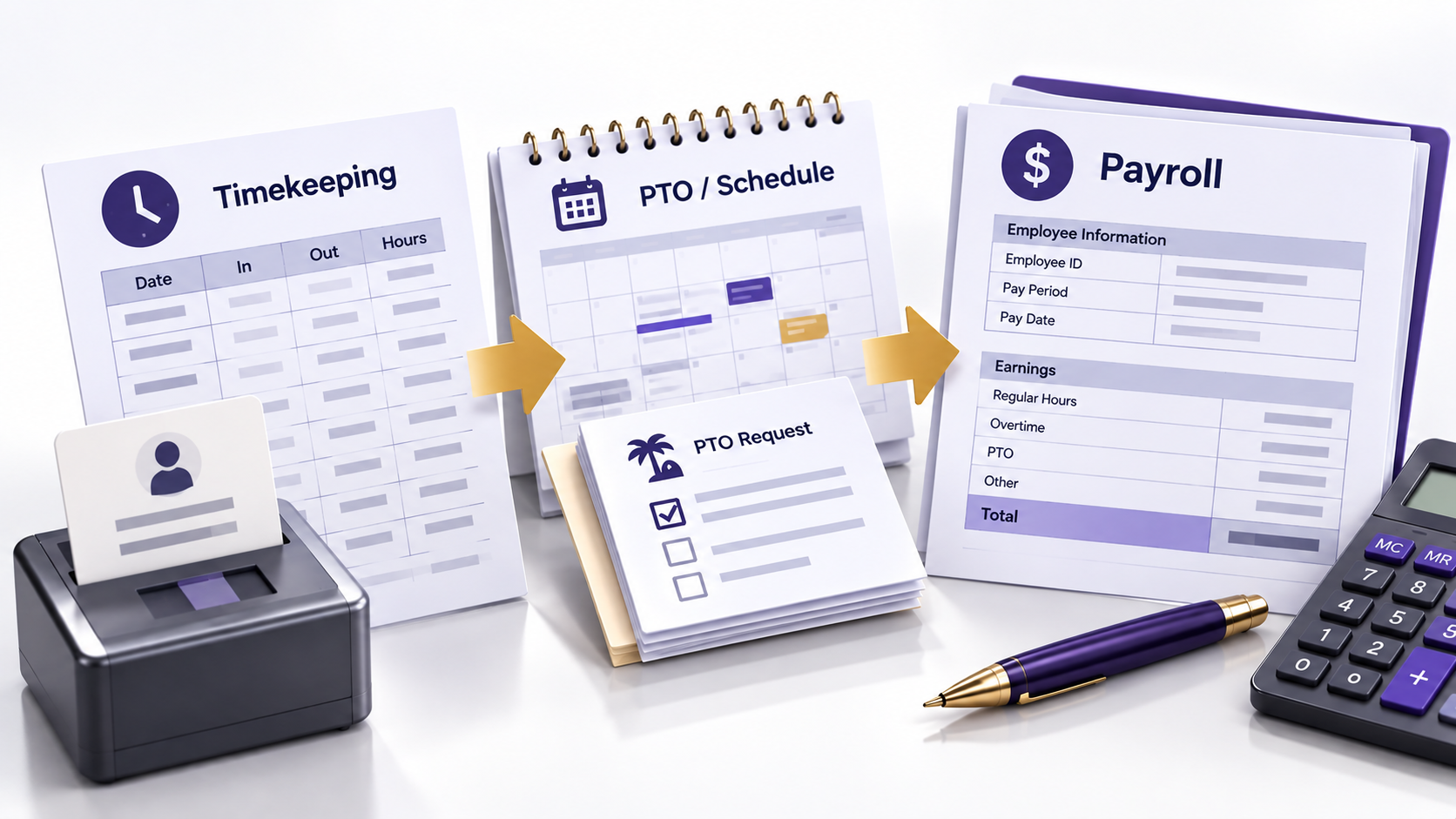
Even a relatively small team can create recurring work involving payroll, timekeeping, scheduling, paid time off, employee records, onboarding, benefits, required documentation, and changes to employee information.
When those processes are spread across spreadsheets, email, paper files, separate software platforms, and individual managers’ records, practices can lose visibility into who completed a task, which information is current, what still requires approval, and where an error originated.
An HR management system can centralize and automate portions of that work. But purchasing more functionality does not automatically create better HR operations.
The right system depends on what the practice needs to manage and which responsibilities will remain internal. It also depends on what other systems need to exchange information with it and who will be responsible for maintaining the platform after implementation.
The selection process should therefore begin by mapping current workflows to document how HR work moves through the practice and where errors or delays occur. It should also document which controls need to be preserved before comparing software features.
Key Takeaways
- Start HRMS selection by documenting existing HR workflows, failure points, responsibilities, and controls rather than building a broad feature wish list.
- Evaluate complete workflows—including exceptions, corrections, approvals, and audit history—not just individual software features.
- Treat payroll and timekeeping as connected processes because payroll errors can originate in upstream time, leave, approval, or compensation data.
- Define permissions, integrations, systems of record, reconciliation processes, and implementation requirements before the platform becomes authoritative.
- Evaluate total cost beyond subscription pricing, including implementation, integrations, support, contract terms, data access, and eventual transition requirements.
- Keep clear internal ownership after implementation; automation can support HR administration but does not assume responsibility for employment, payroll, or management decisions.
Table of Contents
Define What You Need the System to Manage
HRMS is a broad term, and platforms vary significantly in scope.
Some systems focus heavily on payroll and timekeeping. Others include recruiting, onboarding, employee records, benefits administration, scheduling, performance management, learning functions, employee self-service, reporting, or connections to other business applications.
A medical practice does not necessarily need all of these functions.
Before evaluating vendors, document the HR processes currently being managed and identify where the practice is experiencing problems.
Is payroll information being entered manually into multiple systems? Are PTO balances difficult to reconcile? Does onboarding require managers to send the same documents repeatedly? Are employee records stored in several locations? Is schedule information disconnected from timekeeping?
Those problems should become specific system requirements. This allows the practice to evaluate whether a platform removes a known failure point, improves an existing control, or simply adds functionality that the organization does not need.
Operational Snapshot
Requirements built around actual failure points create a more useful purchasing standard than a broad feature wish list. This shifts the evaluation from asking what the software can do to whether it measurably improves the workflows the practice already needs to control.
Evaluate How the HRMS Supports Critical Workflows
Evaluate Workflows, Not Feature Lists
HR technology demonstrations can become feature-heavy very quickly. The vendor shows dashboards, automated notifications, mobile applications, reports, integrations, and self-service tools.
Individual features matter, but leadership should evaluate how they work together across an actual HR process. This includes what happens when information is missing, an approval is delayed, or a transaction needs to be corrected.
| HR Function | What the Practice Should Evaluate |
|---|---|
| Payroll | Inputs, approvals, corrections, tax-service scope, reporting, and reconciliation |
| Timekeeping | Clock-in methods, edits, approvals, overtime visibility, and audit history |
| PTO and leave | Requests, balances, approvals, applicable policy configuration, and payroll connection |
| Employee records | Document storage, permissions, retention capabilities, and retrieval |
| Onboarding | Forms, assigned tasks, approvals, training connections, and completion tracking |
| Benefits | Enrollment workflow, deductions, eligibility information, and vendor connections |
| Scheduling | Availability, shift management, schedule changes, and timekeeping integration |
| Self-service | What employees can view or change and what requires approval |
| Reporting | Access to useful workforce and payroll information |
| Integrations | How information moves between HR, payroll, accounting, scheduling, and other systems |
A system should be evaluated based on how well it supports the practice’s operating model, not how many boxes it checks on a comparison sheet.
Examine Payroll and Timekeeping as One Workflow
Payroll problems often originate before payroll is processed.
Time records may be incomplete. An employee may forget to clock out. A manager may approve an incorrect entry. PTO may not be entered correctly. Compensation changes may not reach the appropriate person.
When evaluating an HRMS, follow this entire process.
How is time captured? Who can edit it? Are changes visible in an audit history? Who approves time? How are exceptions handled? How do approved hours move into payroll? Who reviews payroll before it is finalized? How are corrections made afterward?
Operational Snapshot
Payroll accuracy should be treated as an upstream control problem, not merely a payroll-processing problem. A strong system makes exceptions visible early enough for the responsible manager to correct them before inaccurate time, leave, or compensation data becomes a finalized financial transaction.
The technology should make these workflow controls easier to execute, document, and monitor. It should also preserve clear responsibility for review and approval. Processing payroll faster has limited value if the system also makes incorrect entries, unauthorized changes, or unresolved exceptions harder to detect.
Evaluate Employee Self-Service With Appropriate Controls
Employee self-service can reduce repetitive administrative work.
Depending on the platform, employees may be able to access pay statements, request time off, review benefits information, retrieve tax documents, update certain personal information, or complete onboarding tasks.
That can remove unnecessary back-and-forth with managers.
But self-service needs boundaries.
Practices should understand which information employees can change directly and which changes require approval. They should also understand how changes are logged and what happens when an employee enters incorrect information.
Employee self-service should reduce unnecessary administrative handling without removing approval, auditability, or management review from changes that can affect payroll, benefits, access, or other important employment records.
Pay Attention to Permissions and Sensitive Information
HR systems contain sensitive workforce information.
Payroll data, compensation, banking information, tax records, benefits information, performance records, employee documents, and other confidential information may reside within the platform.
Access should therefore reflect job responsibilities, giving employees and administrators the information and functions necessary for their roles without automatically granting broader access to sensitive workforce or financial information.
An office manager may need access to certain personnel information without needing access to every payroll or benefits function. A payroll administrator may need financial information that other managers should not see.
During evaluation, practices should understand how access permissions work and whether roles can be configured appropriately. They should also understand how administrative actions are logged and how access is changed when an employee’s responsibilities change or employment ends.
This should be part of system selection rather than an afterthought during implementation.
Be Deliberate About Timekeeping Technology
Some HR platforms offer mobile clocking, location controls, scheduling connections, or other tools intended to improve timekeeping.
Whether those features are appropriate depends on the workforce and the practice’s policies.
A feature such as geolocation should not be evaluated simply as a way to prevent timekeeping abuse. Leadership should understand when location information is collected, how it is used and retained, and who can access it.
Leadership should also understand whether the feature is appropriate for the workforce, what employee-notice or privacy requirements may apply, and how legitimate exceptions will be handled.
Compliance Alert
Activating location-based timekeeping introduces a data-governance decision in addition to a workforce-management decision. Before deployment, the practice should establish the purpose, access, retention, notice, and exception rules for location data rather than allowing the software’s default settings to determine those boundaries.
The same applies to automated overtime alerts, which can help identify potential overtime without determining whether overtime pay is legally required.
An alert can help managers see scheduling or timekeeping patterns, but it does not replace proper wage-and-hour practices or accurate payment for time worked.
Technology should improve visibility without encouraging managers to treat legal payroll obligations merely as costs the software should suppress.
Understand What Technology Cannot Decide
One of the most important distinctions when selecting an HRMS is the difference between administrative support and legal responsibility.
Software may help track information, calculate payroll based on configured rules, maintain records, generate alerts, or provide access to HR resources.
It does not determine whether an employment decision is legally appropriate or eliminate the practice’s responsibility for applying applicable federal, state, and local requirements to its workforce.
Worker classification illustrates the distinction. A platform may record whether a worker is treated as an employee or independent contractor and process that worker accordingly, but the software’s configuration does not establish that the underlying classification is legally correct.
The same principle applies to wage-and-hour requirements, leave, accommodations, discipline, termination, benefits, and other employment matters.
Compliance Alert
A correctly configured HRMS can consistently execute an incorrect employment rule. Practices therefore need a separate process for validating the legal and policy assumptions embedded in classifications, pay rules, leave settings, and other configurations rather than treating successful system processing as evidence of compliance.
Technology can support the process. Leadership still needs appropriate HR, payroll, accounting, legal, or other professional expertise when the situation requires it.
Evaluate the Vendor and Technology Environment
Test Integrations Carefully
An integration is valuable only if it moves the correct information reliably.
A practice may want the HRMS to connect with accounting, payroll, scheduling, benefits, identity-management, or other systems.
Do not stop at asking whether an integration exists.
Determine exactly which data fields move between the systems, which system is authoritative for each type of information, which direction the data moves, and how frequently it synchronizes. Also determine how failed or duplicate transactions are identified and who is responsible for resolving discrepancies.
Technical Deep Dive
Every shared data element should have a defined system of record. Without that designation, two-way updates can create conflicting values, overwrite valid changes, or leave staff uncertain about which application should be corrected when employee, payroll, scheduling, or benefits information disagrees.
A poorly understood integration can create the same duplication the practice was trying to eliminate.
For example, if payroll information moves into the accounting system automatically, the practice still needs a defined reconciliation process. That process should confirm that payroll expenses, taxes, deductions, and other material amounts transferred as expected. Automation changes how information moves. It does not eliminate the need to verify financially significant activity.
Include the People Who Will Actually Use the System
The person purchasing the HRMS may not be the person performing most of the work inside it.
Managers, payroll administrators, HR staff, practice administrators, and employees may interact with different parts of the platform.
Bring the appropriate users into the evaluation process.
During demonstrations, require the vendor to walk through real practice scenarios, including at least one exception or correction, rather than allowing the evaluation to consist primarily of preconfigured dashboards and ideal workflows.
Operational Snapshot
Exception handling is often a better discriminator between systems than the standard workflow. A demonstration that exposes how users identify, reverse, correct, approve, and document mistakes gives leadership a clearer view of the administrative burden the platform will create under real operating conditions.
Have the vendor demonstrate onboarding a new employee, correcting a time entry, approving PTO, and changing compensation. The demonstration should also include terminating system access, running payroll reports, retrieving a document, or performing another process important to the practice.
That exposes workflow limitations much more effectively than a general product tour.
Understand the Full Cost
HRMS pricing can be structured in many ways, and published price comparisons become outdated quickly.
Instead of relying on a generic per-employee estimate, practices should calculate the expected cost of the configuration they would actually purchase. That calculation may include implementation, base fees, per-employee charges, payroll services, timekeeping, scheduling, benefits administration, and recruiting.
It may also include additional modules, integrations, support levels, training, and expected cost increases as the practice grows.
Contract terms matter as well.
Leadership should understand the initial term, renewal provisions, pricing changes, termination process, data access, and what happens when the practice eventually moves to another platform.
The cost and operational difficulty of leaving a system should be evaluated before the practice enters it. This includes how employee and payroll records can be retrieved, what historical information remains accessible, and what assistance or fees may apply during a future transition.
Operational Snapshot
Vendor exit requirements are part of total system cost even though they may not affect the initial budget. Data-export limitations, historical-record access, transition support, and termination fees can materially change the difficulty of replacing a platform once years of workforce and payroll information depend on it.
Plan for Implementation and Ongoing Ownership
Plan the Implementation Before Signing
Selecting the system is only the beginning.
Implementation may require migrating employee data, validating payroll information, and reconciling PTO balances. It may also require configuring policies and approval structures, establishing permissions, testing integrations, and training managers and employees.
Technical Deep Dive
Go-live approval should depend on evidence that critical outputs reconcile, not simply completion of configuration tasks. Practices can reduce transition risk by defining acceptance criteria for migrated balances, payroll calculations, permissions, integrations, and other financially or operationally significant data before the new platform becomes authoritative.
The implementation plan should establish who is responsible for these activities, how problems will be handled during the transition, and what criteria must be satisfied before the new system becomes authoritative.
Because changing HR systems affects sensitive and financially important information, the practice should not assume implementation will take care of itself after the contract is signed.
Maintain Internal Ownership After Implementation
Automation can make HR administration easier, but every important process still needs an owner.
The practice should assign clear responsibility for reviewing payroll, approving time changes, maintaining permissions, and updating policy configurations. It should also assign clear responsibility for resolving integration problems, monitoring vendor performance, and escalating employment questions that require expertise beyond the software platform.
The platform should support those responsibilities rather than obscure them.
This becomes particularly important when the practice relies heavily on vendor support. If leadership no longer understands how its own payroll or HR workflows operate, resolving exceptions becomes much more difficult.
Choose an HRMS That Fits the Practice’s Operating Model
There is no universally best HR management system for medical practices.
A small practice primarily seeking payroll and timekeeping support may make a very different choice from a growing multi-location organization that needs benefits administration, recruiting, employee self-service, reporting, and complex approval workflows.
The better selection process begins with the practice’s workflows, responsibilities, controls, workforce needs, and operating constraints rather than with a vendor’s feature list.
Define the workflows that need support and identify where manual work and errors occur. Determine which responsibilities remain with internal staff. Evaluate integrations and access controls. Test the system using real scenarios. Understand the complete cost and contract before planning how the system will be implemented and managed.
An HRMS can reduce administrative work and improve visibility when it supports well-designed processes with clear ownership, appropriate controls, and defined review points. It cannot compensate for poorly designed workflows or assume responsibility for the employment, payroll, or management decisions made through the system.
The objective is not to automate HR as completely as possible. It is to create an HR operating environment in which information moves reliably and responsibilities remain clear. Appropriate controls should be maintained, and managers should be able to spend less time repairing preventable administrative problems.
Because employment, payroll, tax, privacy, benefits, and recordkeeping requirements can vary by jurisdiction, workforce, and individual circumstances, HRMS configuration should be evaluated within the requirements that apply to the individual practice.
Practices should obtain appropriate legal, human resources, payroll, accounting, or other professional guidance when evaluating requirements that apply to their organization.
Frequently Asked Questions About HR Management Systems for Medical Practices
What should a medical practice look for in an HR management system?
A medical practice should begin with its actual HR workflows rather than a generic feature list. Evaluate how the system handles payroll, timekeeping, PTO, employee records, permissions, approvals, reporting, integrations, corrections, and exceptions based on how the practice operates.
Does a small medical practice need an HRMS?
Not every small medical practice needs a comprehensive HRMS. The decision depends on the complexity of payroll, timekeeping, benefits, scheduling, employee records, onboarding, and other HR processes. A smaller system may be sufficient when the practice has limited administrative needs and well-controlled workflows.
Can an HRMS help a medical practice stay compliant with employment requirements?
An HRMS can support compliance-related processes by maintaining records, applying configured rules, tracking activity, and generating alerts. However, software does not determine whether employment classifications, pay practices, leave policies, or other decisions comply with applicable requirements. Those decisions may require qualified professional guidance.
How should a medical practice evaluate an HRMS demonstration?
Ask the vendor to demonstrate real workflows rather than relying on a standard product tour. Include common tasks as well as exceptions, such as correcting a time entry, changing compensation, approving PTO, terminating access, retrieving historical records, and resolving an incorrect transaction.
What HRMS integration questions should a medical practice ask?
Determine which data moves between systems, which system is the authoritative source for each type of information, how often data synchronizes, and how errors or duplicate transactions are identified. The practice should also establish who is responsible for reconciling discrepancies when connected systems disagree.
What HRMS costs should a medical practice consider besides the subscription price?
Consider implementation, base and per-employee fees, payroll services, additional modules, integrations, training, and support. Potential price increases as the practice grows should also be considered. Contract terms, data-export capabilities, termination fees, transition assistance, and access to historical records can also affect the total cost of the system.
About the Author
Jennifer Blevens-Smith is the founder and principal consultant of Integral Clinic Solutions. With more than two decades of experience supporting independent medical practices, she helps physicians, practice administrators, and healthcare leaders strengthen credentialing, payer contracting, revenue cycle operations, compliance workflows, and practice management. Her work focuses on translating complex healthcare requirements into practical operational processes. These processes improve consistency, reduce administrative burden, and support long-term practice success.
Need Help Strengthening Your Medical Practice Operations?
Integral Clinic Solutions provides practical support for medical practices navigating credentialing, contracting, revenue cycle operations, compliance workflows, front-office systems, and practice management challenges.
Explore more operational guidance, compliance insights, and healthcare business resources on the Integral Clinic Solutions blog. New articles and updates are added regularly for practice owners, administrators, and healthcare teams.
Disclaimer: This content is for informational and educational purposes only and does not constitute legal, coding, billing, compliance, financial, or medical advice. Healthcare practices must verify all operational requirements with applicable payers, regulators, and qualified professionals. Read our full Legal & Compliance Disclaimer.