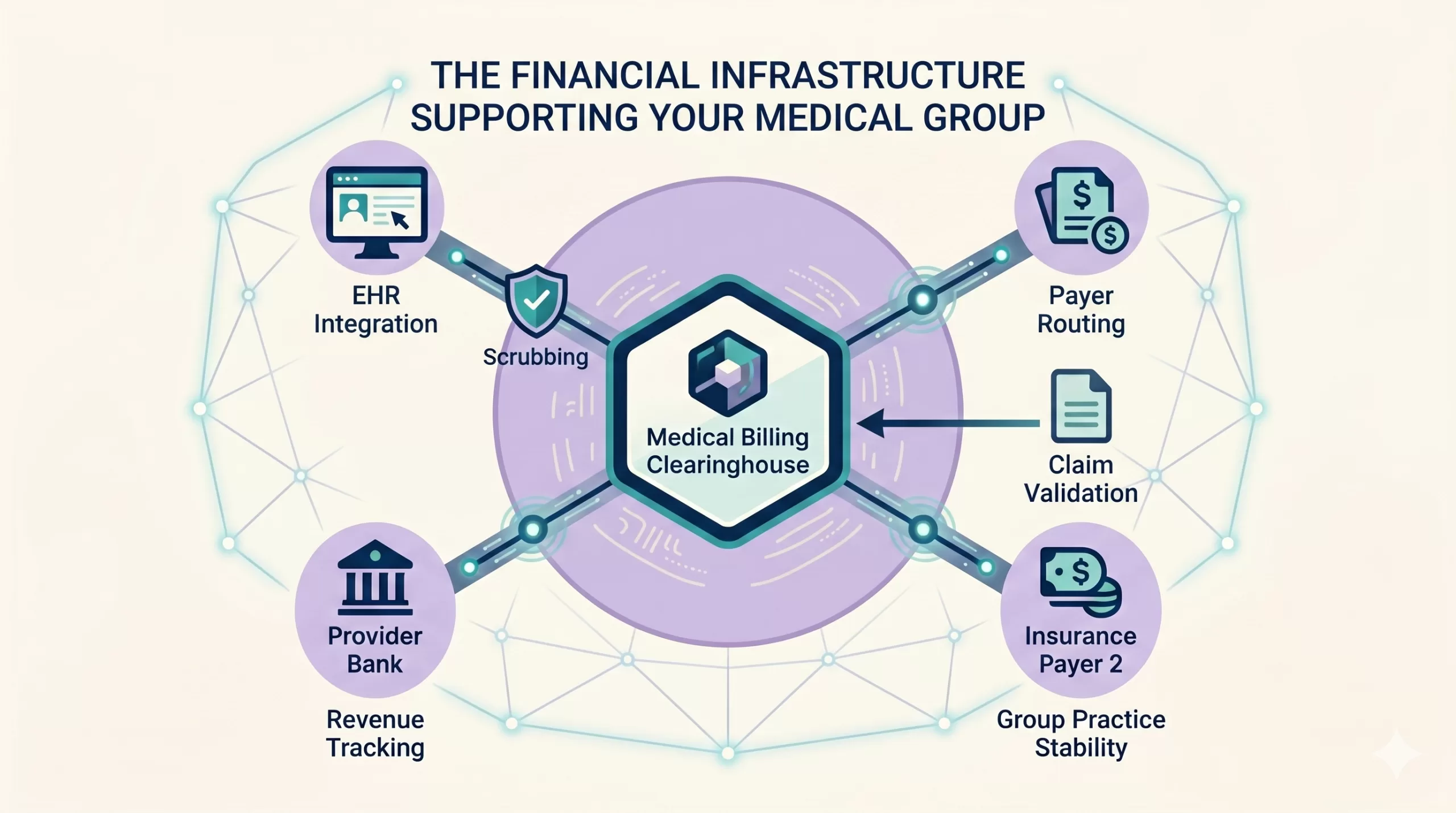
The Medical Billing Clearinghouse: Your Core Revenue Infrastructure
Most medical practices don’t spend much time thinking about their clearinghouse until something stops working. Claims suddenly stop transmitting. Eligibility checks fail without warning, rejections begin spiking, and payment posting stalls. Within hours, the staff is left scrambling. They open support tickets and call vendors to determine where the breakdown began.
By the time leadership notices the disruption, the bottleneck has usually already rippled across multiple departments. Clearinghouses are not simply background technical conduits between software systems and insurance companies. They sit near the center of the practice’s revenue cycle infrastructure, directly influencing reimbursement velocity, front-office workflows, and long-term practice stability.
Practices that treat the clearinghouse as an isolated tech vendor often underestimate the extent of systemic dependency surrounding it. In reality, it serves as the financial infrastructure that supports the entire medical group.
Operational Snapshot
A clearinghouse is more than a technical connector between systems. Its performance directly influences reimbursement speed, front-office efficiency, and the overall stability of a medical practice’s revenue cycle.
Key Takeaways
- Clearinghouses function as a core revenue cycle infrastructure layer rather than a passive software utility.
- Eligibility verification failures frequently originate upstream and create downstream denial exposure.
- Claim scrubbing helps identify both technical claim issues and broader workflow training gaps.
- ERA and EFT enrollment delays often prolong avoidable manual payment posting processes.
- Practices should retain control of clearinghouse access and reporting when outsourcing billing. Give designated administrators and other users the permissions their responsibilities require.
Table of Contents
The Intermediary Mechanics: What a Clearinghouse Actually Does
A medical billing clearinghouse is an electronic intermediary that helps healthcare providers exchange claims and other administrative transactions with insurance payers. In medical billing, a clearinghouse typically receives claim information from a practice’s billing system, checks it for supported formatting and data errors, and routes the claim to the appropriate payer.
Depending on the vendor and configuration, clearinghouse services may also support eligibility verification, electronic data interchange (EDI), claim acknowledgments, and electronic remittance advice (ERA). These functions help practices manage electronic transactions and identify processing problems before they create larger revenue cycle delays.
A centralized connection can reduce the number of separate submission workflows the practice maintains. However, not every payer or transaction necessarily uses the same route. Some payers also support direct electronic submission. Understanding these connections within the practice’s broader revenue cycle management workflow helps staff monitor where transactions succeed or fail.
Technical Deep Dive
Transmission, acceptance, adjudication, and payment are separate events. A dashboard showing “sent” does not prove that the payer accepted the claim. Review the available acknowledgments and payer responses before deciding whether a claim needs correction, follow-up, or payment posting.
Watch: How a Medical Billing Clearinghouse Actually Works
The following sequence describes a common electronic claim workflow. The input format, acknowledgment delivery, and processing steps vary by system and payer.
- The billing system prepares the claim: Staff complete the required registration, coding, and billing information. The system may produce a standard 837 claim file or another format supported by the clearinghouse.
- The clearinghouse receives and validates the submission: The service checks supported formatting, required fields, routing information, and configured edits. These checks can identify submission problems but do not guarantee coverage, correct coding, or payment.
- The claim is transmitted to the payer: Staff confirm the destination and review transmission records. A successful upload to the clearinghouse is different from acceptance by the payer.
- Acknowledgments report acceptance or rejection: Where used, a 999 reports implementation-level processing results, including format and syntax issues. A 277CA reports front-end claim acknowledgment results. Identify the response’s source and level. Acceptance for processing does not mean the claim will be paid.
- The payer adjudicates the claim: The payer evaluates the claim under its coverage, payment, and other applicable rules. Staff use the payer’s status information to follow claims that have entered processing.
- Remittance information returns to the practice: An 835 ERA reports adjudication, payment, and adjustment information. Software may import and post it when properly configured. Staff still need to review exceptions and reconcile the remittance with the payment.
CMS identifies the 837 as the adopted electronic claim standard. Novitas’s 277CA acknowledgment guidance illustrates the distinction between front-end acceptance and payment consideration.
If you want to see how these transactions move between a medical practice, clearinghouse, and payer, the video below walks through the process step by step. It also explains the difference between claim rejections and denials, how eligibility and ERA transactions move through the clearinghouse, and what practices should monitor to prevent small transmission problems from becoming larger revenue cycle issues.
Understanding the Types of Healthcare Clearinghouses
Practices access clearinghouse services through different arrangements. These are practical service models, not exclusive regulatory categories. One vendor may offer a separate portal, software integrations, and broader revenue cycle tools. Compare the actual product, supported transactions, payer connections, and contract.
| Service Arrangement | How Staff May Use It | What to Verify |
|---|---|---|
| Separate clearinghouse portal | Upload or enter claims and review responses in a dedicated portal. | Supported file formats, payer connections, response detail, correction workflow, and export access. |
| Clearinghouse integrated with EHR or PM software | Submit transactions and review responses through the practice’s existing software. | Which responses reach the software, whether staff need a separate portal, and who supports interface problems. |
| Clearinghouse within a broader revenue cycle platform | Use transaction routing alongside other billing, reporting, or workflow tools. | Which services are included, how data move between tools, total fees, and access when the agreement ends. |
Operational Snapshot
The optimal clearinghouse architecture depends on operational priorities. Practices must balance cost, transparency, workflow efficiency, reporting capabilities, and long-term vendor flexibility.
1. Separate Clearinghouse Portals
A separate portal may support claim entry, file uploads, rejection review, remittance access, and eligibility inquiries. Services overlap across vendors. For example, Claim.MD describes claims, ERA, and eligibility services. Review the specific Office Ally products and other vendors against your practice’s requirements rather than assuming a standalone portal provides only claim routing.
2. Broader Revenue Cycle Platforms
Some vendors combine clearinghouse services with analytics, denial workflows, payment tools, or other revenue cycle functions. Confirm which features the proposed product includes and whether they fit your staff’s work. A larger platform is not automatically the best choice for every large practice, and a smaller service is not automatically less capable or less expensive.
3. EHR and Practice Management Integrations
An integration may let staff submit claims and review responses inside the EHR or PM system. The underlying clearinghouse may still be a separate vendor. Confirm who manages each connection, which reports appear in the software, and whether staff need portal access for detailed investigation. Compare fees and exit terms in the actual agreement.
HHS adopts transaction standards such as the 837 claim standard. The Workgroup for Electronic Data Interchange provides industry guidance and serves as an advisor to HHS. It should not be described as the organization that establishes or enforces the adopted transaction standards.
Why Clearinghouse Performance Touches the Front Office
One of the most pervasive misconceptions in healthcare management is that clearinghouses only matter to the back-office billing department. In reality, they dictate the efficiency of workflows across the entire practice footprint.
Front-desk teams may use integrated eligibility inquiries to obtain coverage and benefit information before a visit. The available response depends on the payer, transaction, and system configuration. An eligibility response does not guarantee payment or replace checks for authorization, referral requirements, network participation, or coverage of the planned service.
While utilizing individual commercial payer portals remains a powerful tool for your medical practice during complex administrative exceptions or deep denial tracking, forcing your front office to navigate those disjointed vendor sites for routine check-ins creates avoidable labor inefficiencies.
Unresolved coverage or registration problems can lead to rejections, denials, delayed collections, or incorrect patient balances. A consistent patient information verification process helps front-office staff identify outdated coverage details, subscriber mismatches, and other registration errors before they affect claims.
Staff should review the actual eligibility response and investigate missing information before the visit when possible. Some issues appear during front-end validation; others appear during payer adjudication.
Compliance Alert
Small registration errors often appear harmless at check-in but can trigger claim failures weeks later. Correcting these issues after service delivery consumes significantly more administrative resources.
| Workflow Stage | Issue to Investigate | Potential Revenue Cycle Effect |
|---|---|---|
| Coverage and benefits | Missing or incomplete eligibility information, incorrect service dates, or unresolved authorization and referral requirements. | Rejections, denials, delayed collections, or inaccurate patient estimates. |
| Patient and subscriber information | Incorrect identifiers, demographics, or subscriber relationships. | Validation failures or payer processing problems, depending on the actual error and edits applied. |
| Claim preparation | Missing required fields, incorrect routing, or coding issues identified by configured edits. | Correction work, delayed submission, or payer rejection or denial. |
At that point, if an eligibility error slips through, the practice has already invested provider time, clinical staff resources, room utilization, and operational overhead into an encounter that may yield zero reimbursement. The downstream cleanup work then drains administrative capacity.
Watch: Why the Correct Payer ID Matters
Insurance registration involves more than matching the payer name on a patient’s card to a plan in your system. The payer ID helps determine where electronic transactions are routed, and selecting the wrong payer configuration can create rejections, delayed claims, and unnecessary follow-up work. In the video below, I explain what a payer ID is, where it fits into the clearinghouse workflow, and why your front-office staff needs to understand it.
When coverage information is unresolved, investigate the response, confirm the patient and subscriber details, and contact the payer when needed. Correct or resubmit a claim only when the findings support that action. Do not automatically move an unresolved insurance balance to self-pay. Determine patient responsibility using applicable coverage, contract terms, payer decisions, and legal requirements.
CMS explains in its eligibility operating-rule FAQs that an eligibility response does not guarantee reimbursement. Consistent verification helps reduce avoidable problems, but staff must still review exceptions.
Claim Scrubbing as a Revenue Protection Function
Before a claim ever reaches a payer’s server, the clearinghouse applies validation edits designed to catch common submission errors before they lead to an official denial. This process acts as an automated quality-control layer, screening claims for a variety of technical and structural issues:
- Invalid CPT or ICD-10 code combinations
- Missing or misplaced modifiers
- Patient subscriber mismatches
- Incorrect commercial payer routing codes
- Provider enrollment and credentialing mismatches
Operational Snapshot
Claim scrubbing functions as a proactive quality-control system. Identifying technical defects before payer submission dramatically reduces denial management workloads and reimbursement delays.
Catching these errors before payer adjudication provides an important operational advantage because staff may be able to correct rejected claims before they enter the payer’s payment review process. However, the appropriate response depends on whether a claim was rejected or denied.
Rejected claims generally require correction and resubmission, while denied claims may require additional documentation, a corrected claim, reconsideration, or an appeal based on the payer’s decision.
Furthermore, recurring clearinghouse rejections function as an invaluable early warning indicator for systemic front-office errors. Frequent subscriber mismatches usually point directly to front-desk registration training gaps.
Consistent modifier errors signal a need for broader template updates. Because clearinghouse edits are your final safety net before adjudication, tracking these patterns reveals exactly when your team needs to revisit proper documentation standards and guidelines for ICD-10 coding workflows before large claim volumes are impacted.
The Hidden Friction in ERA and EFT Enrollment
Electronic Remittance Advice (ERA) and Electronic Funds Transfer (EFT) serve different purposes. An 835 ERA provides claim adjudication and adjustment information. EFT transfers the payment to the practice’s financial institution. Remittance delivery and payment delivery are separate processes that staff must reconcile.
Configured billing software can use ERA data for automated posting. Enrollment alone does not guarantee that posting is configured correctly or that every item can post without review. Test the interface, review exceptions, and match remittance information with deposits. CMS’s EFT and ERA transaction guidance explains how matching trace information supports this reconciliation.
In practice, commercial payer requirements vary wildly. Some insurance carriers require completely separate enrollment applications for ERA and EFT. Others have strict approval timelines that can stretch out for several weeks. Some also require repeated administrative follow-up before setup is finalized. Without an organized tracking system for these applications, practices often end up processing manual paper checks and paper remittances far longer than necessary. This introduces avoidable friction into the revenue cycle.
| Operational Focus | Common Revenue Cycle Failure | Downstream Operational Impact |
|---|---|---|
| ERA Integration | Enrollment applications left incomplete or untracked | Delayed payment posting, increased manual entry errors, and artificially high A/R days |
| EFT Configuration | Payer-specific approval delays and processing holds | Slower cash deposits and prolonged bank reconciliation timelines |
| Eligibility Workflows | Incomplete PM/EHR interface integration | Spike in front-desk verification failures and preventable downstream eligibility denials |
| Claim Scrubbing | Validation edits not monitored or updated consistently | Higher initial rejection volume and increased billing team remediation workloads |
Compliance Alert
Incomplete ERA and EFT enrollments often remain unnoticed for months while staff continue unnecessary manual processes. Structured enrollment tracking prevents avoidable revenue cycle inefficiencies.
Data Transparency and Vendor Governance Risks
When clearinghouse ownership and reporting lines are poorly defined, practice visibility breaks down rapidly. This is particularly common in complex tech ecosystems where certain EHR platforms require specific clearinghouse connections, while an outsourced billing vendor prefers an entirely separate provider.
Outsourcing billing can create a visibility gap if the practice cannot independently obtain transaction reports and historical records. The agreement should define practice-controlled access, authorized vendor access, reporting availability, and transition procedures. Designated practice personnel should have enough access to oversee the work without giving every user administrator privileges.
To maintain clear accountability, management should establish explicit operational ownership over the following parameters:
- Who controls the practice’s account and assigns or removes user access
- Which designated personnel need administrator permissions and which need reporting or task-specific access
- Who monitors acknowledgments, rejections, and unresolved transactions each day
- Who tracks EDI, ERA, and EFT enrollment changes
- Who coordinates vendor escalation and preserves records during a billing-vendor transition
Compliance, Security, and System Outage Exposure
Healthcare clearinghouses handle sensitive administrative transactions and have HIPAA obligations. Identifiable information about health, healthcare services, or payment for care can be protected health information. It does not need to include a diagnosis or a complete medical history to qualify.
Evaluate the actual information exchanged, the organizations’ roles, and the safeguards required for the arrangement. HHS’s Summary of the HIPAA Privacy Rule explains protected health information and the role of healthcare clearinghouses.
Use access policies that match staff responsibilities. HHS’s minimum necessary guidance explains how organizations identify the people who need access, the information they need, and the conditions for that access.
Compliance officers and clinical partners must look beyond standard baseline HIPAA checkboxes. They should actively verify how a clearinghouse manages end-to-end encryption standards, user access parameters, formal audit logging, and breach response protocols.
As the healthcare industry learned firsthand during the Change Healthcare cyber incident, clearinghouse system outages can paralyze claim flows, freeze patient eligibility verification channels, and significantly disrupt cash flow in a short period of time.
Compliance Alert
A clearinghouse outage is not merely an IT problem. Disruptions can halt claims, interrupt eligibility verification, delay payments, and rapidly affect organizational cash flow.
Practices should manage these relationships with clear backup plans, documented escalation steps, and basic business continuity procedures. This includes maintaining active backup clearinghouse options and clear business continuity protocols as a basic safeguard against systemic vendor vulnerabilities.
This risk does not mean practices should shy away from utilizing robust clearinghouses; modern medical groups cannot function efficiently without them. Leadership should evaluate the clearinghouse as a core operational risk and infrastructure dependency rather than a passive IT connection.
The Onboarding Roadmap: Setting Up Your Clearinghouse Infrastructure
Implementing or migrating a clearinghouse portal is a high-stakes operational transition that demands precise cross-department coordination. If rushed or poorly managed, onboarding can create immediate claim backlogs caused by incomplete electronic links or unverified payer configurations. To secure your workflows during onboarding, your administration should guide the implementation team through five distinct phases:
| Implementation Phase | Core Operational Tasks | Primary Focus Area |
|---|---|---|
| 1. Software and transaction compatibility | Verify supported file formats, interfaces, payer connections, and transaction types. Confirm where staff will review detailed responses. | Technical configuration |
| 2. Electronic transaction enrollment | Track payer-specific EDI, ERA, and EFT requirements separately. Verify the required provider identifiers, submitter relationships, approvals, and effective dates. | Electronic connections and payment setup |
| 3. Access and response testing | Assign appropriate user permissions. Test submission, acknowledgments, rejection reporting, ERA delivery, and posting exceptions. | Access controls and transaction visibility |
| 4. Staff training | Train staff to interpret responses, investigate errors, correct supported issues, and escalate problems without creating duplicate submissions. | Workflow readiness |
| 5. Ongoing ownership | Assign responsibility for daily monitoring, unresolved transactions, enrollment changes, reconciliation, vendor escalation, and access reviews. | Continuous oversight |
Electronic transaction enrollment is separate from provider credentialing, contracting, and participation enrollment. Completing one process does not establish completion of the others. CMS requires an EDI enrollment agreement for providers exchanging Medicare EDI transactions, whether directly or through a clearinghouse or billing service.
Four Crucial Questions to Ask Vendors Before Signing a SaaS Agreement
Before binding your medical group to a long-term clearinghouse contract, practice administrators should lock down clear, contractual answers regarding four core operational performance benchmarks:
- “Does your software operate as a fully embedded integration within our current EHR layout, or will our billing staff have to jump into an external web browser to clear front-end rejections?”
- “Are automated pre-submission claim scrubbing filters and real-time eligibility checks bundled into our flat monthly provider rate, or do they carry additional transactional surcharges?”
- “What is your formal support escalation timeline (SLA) when a primary commercial or government electronic routing channel drops or experiences a severe transmission delay?”
- “What access and export rights will our practice retain for transmission reports, acknowledgment records, ERA histories, and relevant audit records? How will authorized access and data delivery work if we change billing vendors or end the agreement?”
Compliance Alert
Vendor agreements should clearly define ownership of operational data, reporting access, and support obligations. Losing access to historical transmission records can create significant governance challenges.
The True Cost of a Low-Cost Clearinghouse Vendor
Many practices evaluate clearinghouses primarily through the narrow lens of monthly line-item SaaS pricing. While managing vendor software expenses is necessary, evaluating performance solely on subscription fees is an operational trap.
A low-cost clearinghouse that features substandard reporting interfaces, sluggish customer support response times, fragile eligibility APIs, or weak validation logic will quickly cost a practice multiple times its monthly savings. The financial losses accumulate through administrative labor inefficiencies, prolonged back-and-forth communication, and delayed collections.
The true value of an enterprise-grade clearinghouse is not the raw technical capability to push an electronic file to an insurance company. From a clinical administrator’s perspective, the vendor’s performance must be evaluated against how well it supports your daily operations.
A strong clearinghouse setup should support a high clean claim rate, faster rejection turnaround, easier eligibility verification, and better visibility into payer activity. However, clearinghouse technology cannot replace the practice’s own clean claim preparation processes, including accurate registration, coding, documentation, and pre-submission review.
Evaluating both vendor performance and internal claim quality helps leadership identify improvements that protect reimbursement and reduce administrative costs.
Common Clearinghouse Problems and Fixes
Even with a premium enterprise integration in place, technical friction points occasionally pop up during live claims tracking. Most of these transmission holdups stem from localized interface mismatches or registry updates rather than comprehensive software failures.
When these bottlenecks surface, knowing how to isolate the root cause and implement a fast clearinghouse claim-rejection fix keeps your billing desk from losing critical cash-flow momentum and prevents raw claim files from piling up in an unworked backlog.
1. Claims Stalled or Stuck at a “Pending” Transmission Status
A “pending” label does not identify the cause by itself. Determine what that status means in the specific system. Review the submission time, batch or transaction ID, destination, and available clearinghouse and payer acknowledgments.
Check whether the claim left the billing system, reached the clearinghouse, and received a payer response. Investigate enrollment, routing, file validation, interface failures, or service outages as the evidence indicates. Escalate with transaction details. Confirm the original submission’s status before retransmitting to avoid duplicate claims.
2. Eligibility Checks Returning Blank or Unexpected Results
Review the complete response or error message. Verify the patient and subscriber information, payer selection, requested service date, and transaction permissions. A blank result may reflect an input problem, an unavailable payer response, an enrollment issue, or a technical disruption.
Compare the response with current payer information and use the payer’s supported verification method when clarification is needed. Document unresolved questions. Do not treat a missing response as proof that coverage is inactive, or a positive response as a guarantee of payment.
3. Sudden Spikes in Front-End Rejections
Identify the actual response source and error codes before assigning a cause. Compare affected claims with accepted claims, and check recent changes to software, templates, identifiers, routing, enrollment, or payer edits.
A rejection spike alone does not prove that the payer changed its rules. Confirm the issue with the clearinghouse or payer when needed. Apply the supported correction, test it on affected claims, and verify acceptance after resubmission.
FAQ: Medical Billing Clearinghouses Explained
How long does clearinghouse enrollment usually take?
Enrollment timelines vary by payer and transaction type. Basic claim submission enrollments may activate quickly, while ERA and EFT approvals can take several weeks depending on the insurance carrier’s requirements and processing backlog.
Is a clearinghouse different from a billing company?
Yes. A clearinghouse primarily handles electronic transaction routing and claim validation, while a billing company manages broader revenue cycle responsibilities, including claim follow-up, denial management, payment posting, and patient billing.
Why are claims rejected before reaching the insurance company?
A clearinghouse may reject a submission when its validation detects missing data, formatting problems, routing issues, or other configured errors. Payers can also reject claims during front-end intake. Review the response source and reported codes to identify the issue. Passing clearinghouse edits does not guarantee payer acceptance or payment.
Should practices keep direct access to their clearinghouse portal?
Yes. Practices should retain control of account access and the ability to obtain claim activity, payer responses, rejection reports, and historical records. Designated personnel may need administrator permissions, while other users need narrower access. Document permissions, vendor access, export rights, and procedures for changing billing vendors or ending the relationship.
What happens if a clearinghouse goes down?
A major clearinghouse outage can interrupt claims transmission, eligibility verification, payment posting workflows, and remittance processing. Practices should maintain documented downtime procedures and escalation plans to reduce operational disruption.
What is the difference between ERA and EFT?
ERA (Electronic Remittance Advice) provides digital payment explanations and denial details, while EFT (Electronic Funds Transfer) moves the actual insurance payment directly into the practice’s bank account.
Securing Your Financial Infrastructure Against Outage Gaps
Clearinghouse health directly impacts far more than back-office electronic billing submissions. Performance variations dictate real-time front-desk validation accuracy, back-office audit workflows, overall days in A/R, and clinical staff focus across the entire group practice ecosystem.
When managed strategically, clearinghouses serve as an exceptional tool for stabilizing cash flow. This requires designated ownership of the internal portal, rigorous documentation protocols, and constant attention to rejection patterns. When ignored or outsourced without internal tracking oversight, clearinghouses can quietly become a primary driver of preventable denials and administrative waste.
At the operational level, the clearinghouse should never be viewed as an isolated software adapter. It must be monitored and maintained as the financial infrastructure supporting your clinical operations.
About the Author
Jennifer Blevens-Smith is the founder and sole consultant driving Integral Clinic Solutions. Armed with deep domain expertise and a commitment to protecting independent medicine, she delivers the personalized, executive-level guidance that healthcare leaders need to build sustainable, high-performing organizations.
Need Help Strengthening Your Medical Practice Operations?
Integral Clinic Solutions provides practical support for medical practices navigating credentialing, contracting, revenue cycle operations, compliance workflows, front-office systems, and practice management challenges.
Explore more operational guidance, compliance insights, and healthcare business resources on the Integral Clinic Solutions blog. New articles and updates are added regularly for practice owners, administrators, and healthcare teams.
Disclaimer: This content is for informational and educational purposes only and does not constitute legal, coding, billing, compliance, financial, or medical advice. Healthcare practices must verify all operational requirements with applicable payers, regulators, and qualified professionals. Read our full Legal & Compliance Disclaimer.